 AgenticInvestor
Look inside. Everything in one workspace.
Four views of the member app, at full size. Companies and people shown are illustrative.
Start with what’s new.
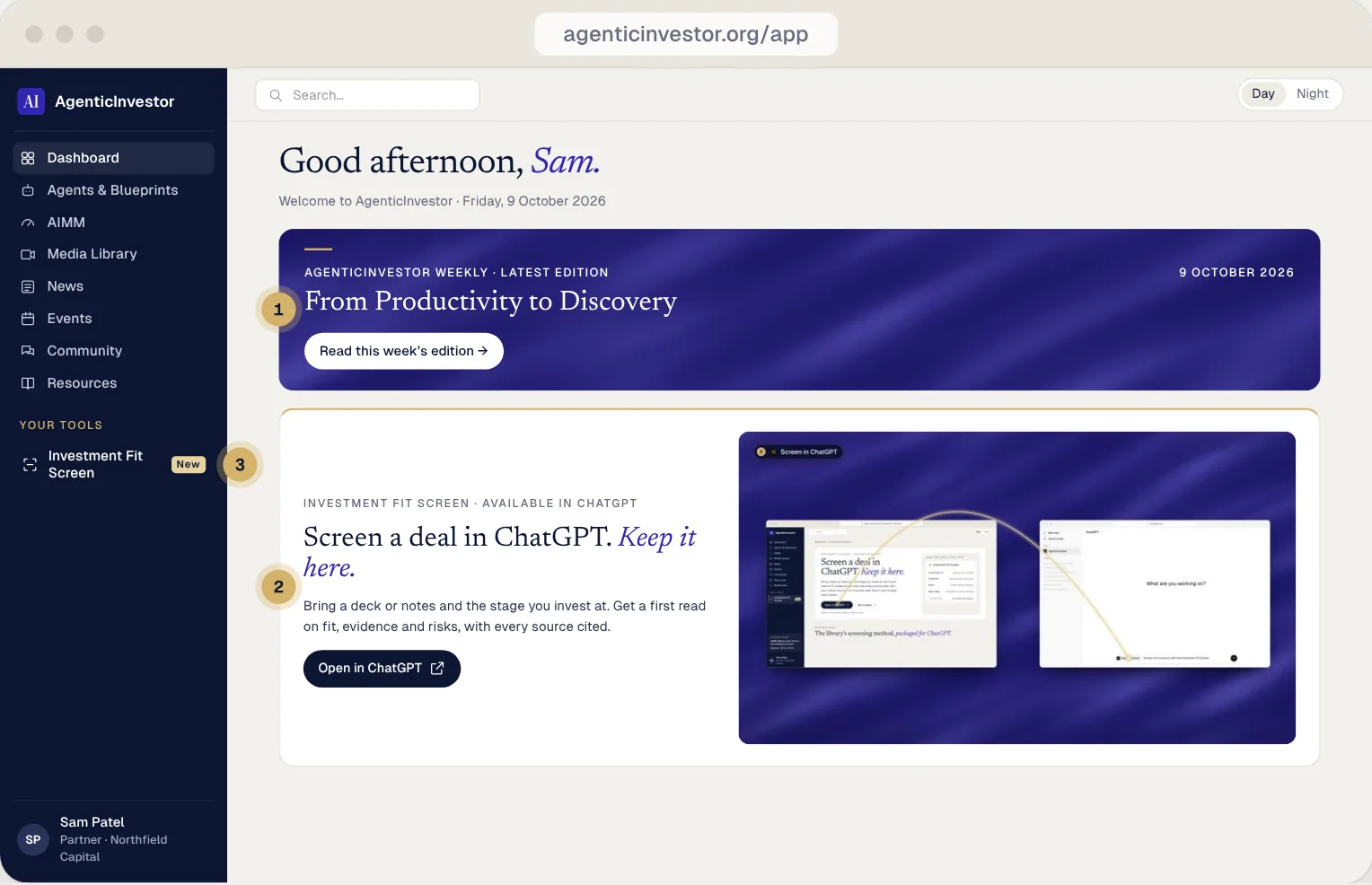
Your dashboard: the Weekly first, then the plugin and AIMM.
Swipe sideways to see the whole screen
- 1This week’s Weekly
The latest edition sits at the top of every visit.
- 2The plugin
Screen a deal in ChatGPT from here; every saved screen comes back.
- 3Your tools
The Investment Fit Screen lives in the sidebar, one click from anywhere.
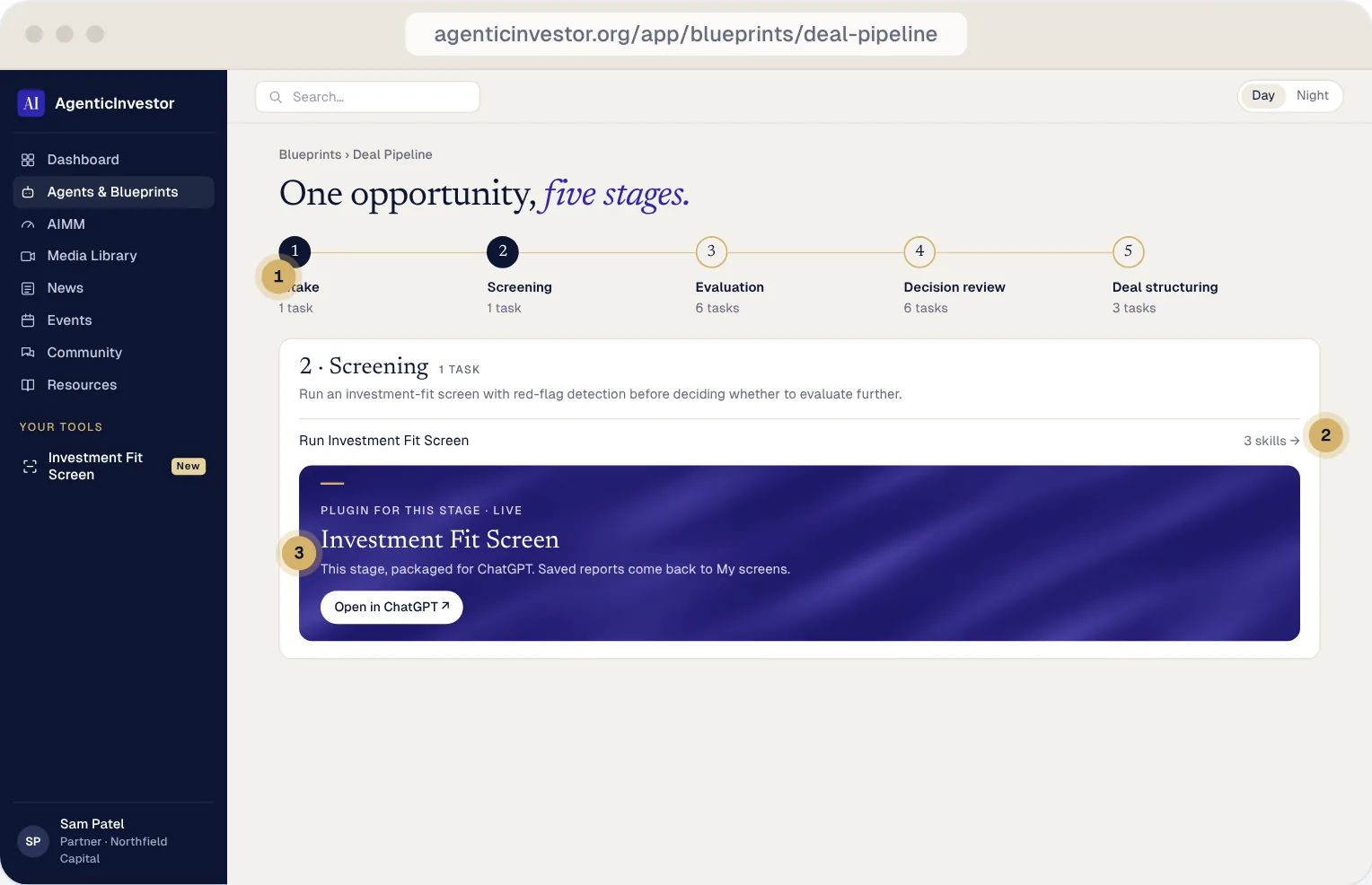
One opportunity, five stages.
Blueprints chain tasks into a workflow. The Deal Pipeline runs one company from intake to deal structuring.
Swipe sideways to see the whole screen
- 1Five stages
Intake, Screening, Evaluation, Decision review and Deal structuring, with the tasks for each.
- 2The task, with its skills
Each stage lists its tasks and the skills they use.
- 3A plugin for the stage
Screening has the Investment Fit Screen, ready to open in ChatGPT.
Every first read, kept.
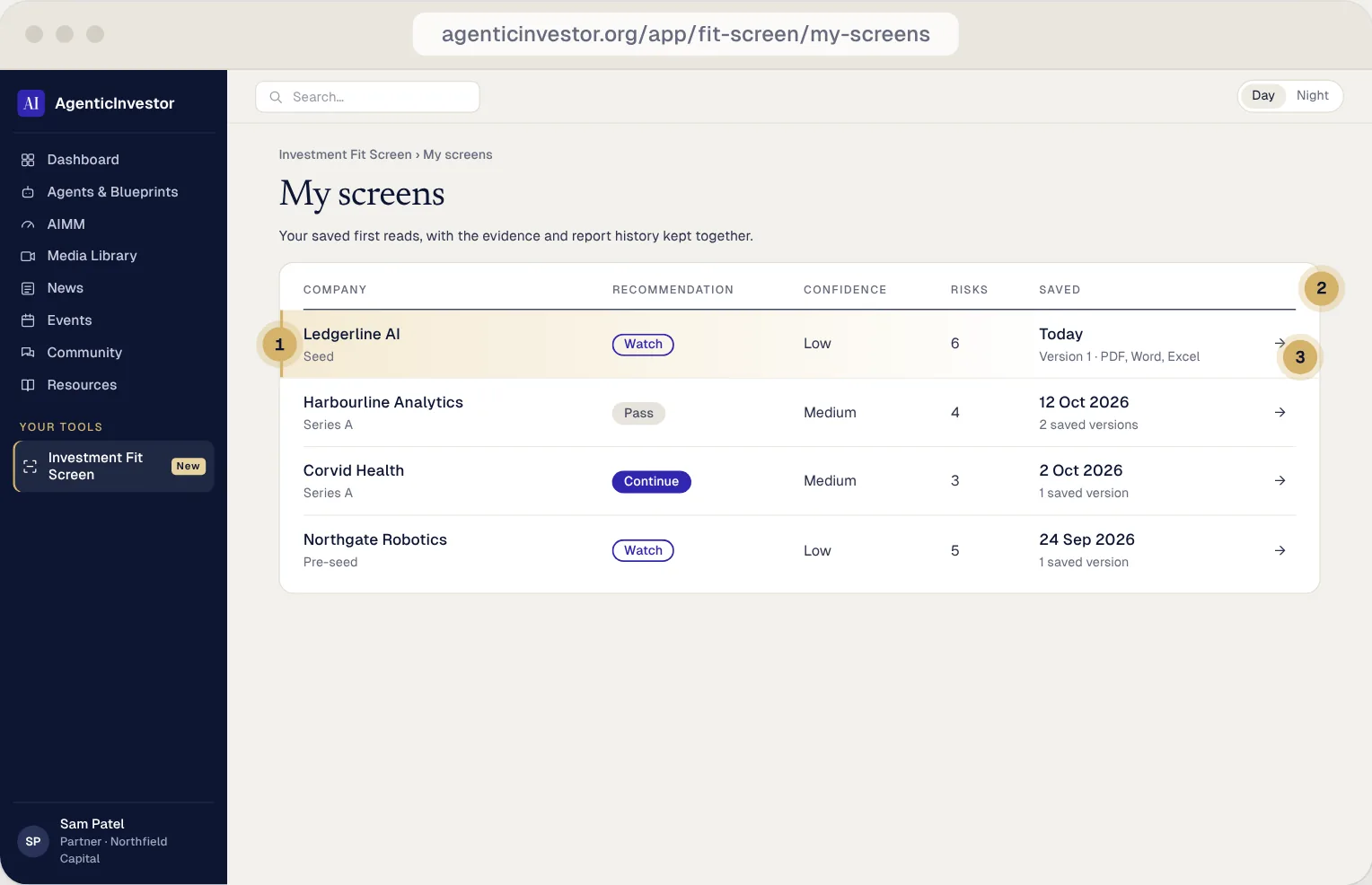
My screens holds every screen you save, with its recommendation, confidence and history.
Swipe sideways to see the whole screen
- 1Your newest screen
Saved from ChatGPT a moment ago, highlighted until you open it.
- 2The read at a glance
Recommendation, evidence confidence and the number of risks, in one row.
- 3Versions and downloads
Every version is kept, with PDF, Word and Excel downloads.
The report, with its sources.
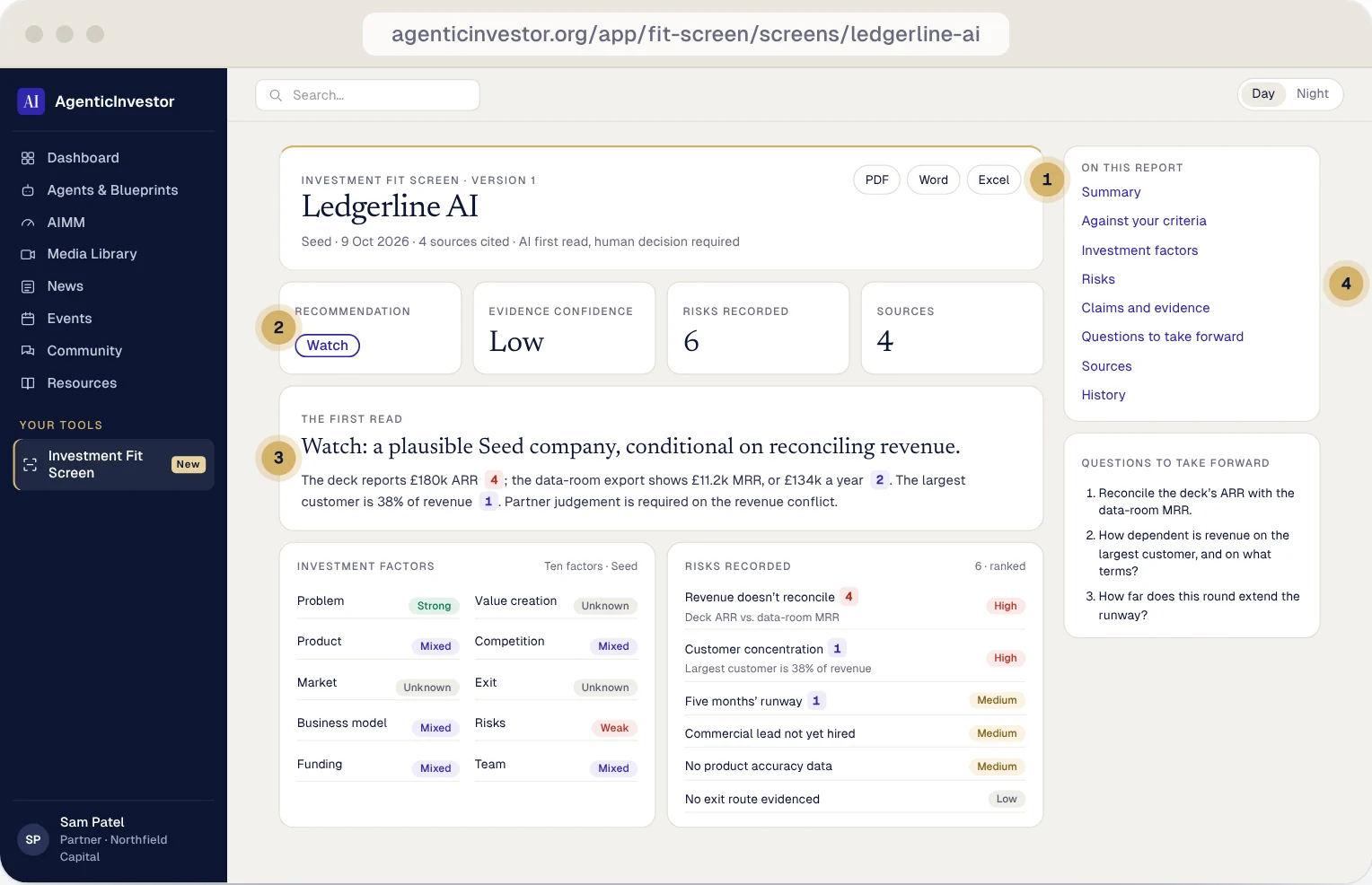
A saved report is the first read in full: the recommendation, the evidence and the questions to take forward.
Swipe sideways to see the whole screen
- 1Downloads
PDF, Word or Excel, of exactly the version you’re viewing.
- 2The headline numbers
Recommendation, evidence confidence, risks recorded and sources.
- 3Claims with sources
Numbered markers link each claim to its evidence; red flags an unsupported one.
- 4The full report
Criteria, ten investment factors, risks, questions, sources and history.
Your workspace is waiting.
Free for professional private-market investors. We review applications within 48 hours.